

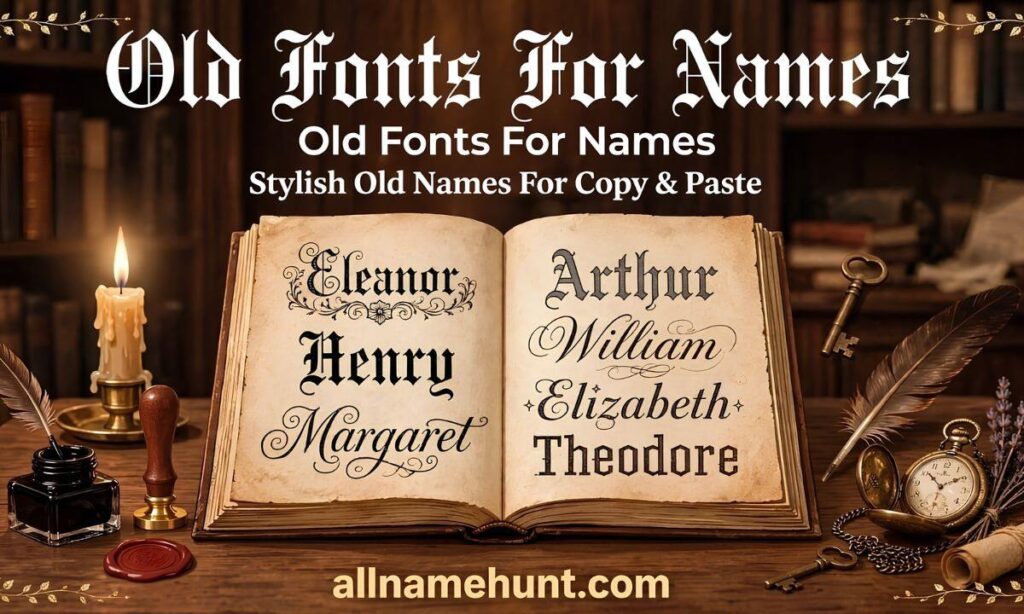
everyone else? An Old English font generator can do that in just one second. ✨You simply type your name, pick a beautiful gothic style, copy it 📋, and paste it anywhere — on Instagram 📸, TikTok 🎵, WhatsApp 💬, or your gaming profile 🎮.No app, no sign-up, and no design skills needed. Whether you want a bold king-style name 👑, a soft royal bio 👸, or a unique username that stands out ⭐, this free tool makes it super easy.In this guide, you will learn what Old English font is, how to use it on your phone 📱, where it works best, and the most important questions people ask before using it.
Old English Font Generator
In this guide, you will learn what Old English font is, how to use it on your phone, where it works, and the most important questions people ask.
What Is an Old English Font Generator?
An Old English font generator is a free online tool. It turns normal text into Old English, Gothic, or medieval style letters.
For example, “Alex” becomes 𝔄𝔩𝔢𝔵, and “Sophia” becomes 𝔖𝔬𝔭𝔥𝔦𝔞.
You do not need to install any app. Open the tool in your phone browser, type your text, and copy the style you like.
This style is also called Blackletter. Long ago, it was used in handwritten books and church writings. Today, people use it to make names look bold and unique.
One thing is good to know. These letters are special Unicode symbols, not a real font file. That is why you can paste them into apps that do not let you change fonts.
Why People Like Old English Fonts for Names
It looks royal. The sharp, decorated letters feel like old royal letters. Your name instantly looks classy.
It stands out. Most profiles use plain text. A Blackletter name gets noticed.
It works in many apps. You can use it on Instagram, TikTok, WhatsApp, Facebook, YouTube, and many games.
It is easy. There is nothing to learn. Just copy and paste.
Old English Font Examples for Names
Here are some ideas you can copy.
For boys: 𝔄𝔩𝔢𝔵𝔞𝔫𝔡𝔢𝔯, 𝔏𝔲𝔠𝔞𝔰, 𝔍𝔞𝔪𝔢𝔰, 𝔎𝔦𝔫𝔤, 𝔓𝔯𝔦𝔫𝔠𝔢, 𝔏𝔢𝔤𝔢𝔫𝔡
For girls: 𝔖𝔬𝔭𝔥𝔦𝔞, 𝔐𝔦𝔞, 𝔄𝔳𝔞, 𝔔𝔲𝔢𝔢𝔫, 𝔄𝔫𝔤𝔢𝔩, 𝔇𝔞𝔯𝔩𝔦𝔫𝔤
For gaming: 𝔇𝔞𝔯𝔨 𝔎𝔦𝔩𝔩𝔢𝔯, 𝔖𝔥𝔞𝔡𝔬𝔴 𝔎𝔦𝔫𝔤, 𝔑𝔦𝔤𝔥𝔱 𝔚𝔬𝔩𝔣, 𝔏𝔬𝔫𝔢 𝔚𝔞𝔯𝔯𝔦𝔬𝔯
For Instagram bio: 𝔅𝔢 𝔜𝔬𝔲𝔯𝔰𝔢𝔩𝔣, 𝔖𝔱𝔞𝔶 𝔖𝔱𝔯𝔬𝔫𝔤, 𝔏𝔦𝔳𝔢 𝔏𝔬𝔳𝔢 𝔏𝔞𝔲𝔤𝔥
Also read more old people names in allnamehunt
How to Use Old English Font Generator on Phone
Many people ask how to use this font on a phone. It takes four easy steps.
- Open the generator. Use your mobile browser. It works on both Android and iPhone.
- Type your name. You can use your name, nickname, or gaming ID.
- Choose a style. Scroll through the list. Some styles are thin, some are bold, and some are more decorated.
- Copy and paste. Tap the Copy button. Then open your app and paste the text where your name should appear.
That is all. Your name is now in Old English style.
How to Use Old English Font on Instagram
Instagram has no built-in Old English option, so you need a generator.
- Create your name in the generator and copy it.
- Open Instagram and go to Edit Profile.
- Paste it in the Name or Bio field.
- Tap Save.
You can also use it in captions and comments. Note that the Username field only allows letters, numbers, periods, and underscores, so this style works in the Name field, not the username.
How to Use Old English Font on TikTok and WhatsApp
TikTok: Go to Profile, tap Edit Profile, then tap Name. Paste your copied text.
WhatsApp: Open Settings, tap your profile, then tap Name. Paste the copied text. Your contacts will see it.
How to Use Old English Font in PUBG and Free Fire
Gamers like this style because it makes a gaming ID look sharp and strong.
PUBG: Copy your name from the generator, open the Rename Card option, and paste your new name.
Free Fire: Go to your profile, tap Edit Name, and paste it.
Keep the name short. Games have a character limit, and some games may not accept special symbols. If the game rejects the name, try a shorter one.
Old English Font vs Gothic Font: What Is the Difference?
People often mix these two up. Both belong to the Blackletter family, so they look very close.
Old English usually feels more classic and rounded. Gothic usually feels sharper and darker.
If you want a royal look, pick Old English. If you want a bold, dark look, pick Gothic. Both work well for names, logos, and tattoo ideas.
Where Else Can You Use Old English Fonts?
You can use this style in many places:
- Instagram name and bio
- TikTok name
- YouTube channel name
- Facebook name and posts
- WhatsApp name and status
- PUBG, Free Fire, and BGMI names
- Posters and invitation card ideas
- School project titles
Tips to Choose the Best Old English Font for Your Name
- Keep it short. Short names stay readable. Long names can look crowded.
- Check readability. If friends cannot read it, choose a simpler style.
- Do not use it for a whole bio. Use it for your name or one line only.
- Add an emoji. A crown 👑 or black heart 🖤 can add extra style.
Most Important Questions About Old English Font Generator
1. What is an Old English font generator?
It is a free tool that changes normal text into Old English or Gothic style letters.
2. How do I use Old English font on my phone?
Open the generator in your browser, type your name, pick a style, tap Copy, and paste it into your app.
3. Can I copy and paste Old English font?
Yes. The letters are Unicode symbols, so they can be pasted into most apps.
4. Does it work on Instagram?
Yes. It works in your name, bio, captions, and comments.
5. Can I use it in PUBG and Free Fire?
Often yes, but it depends on the game. Some games block special symbols.
6. Is it free?
Yes. You do not need to sign up or pay.
7. Will it show on every phone?
It shows on most Android and iPhone devices. On very old phones, some letters may appear as empty boxes.
8. Is Old English font good for tattoos?
Many people like Blackletter for tattoos because it looks bold and traditional. But a generator gives you text, not a tattoo design. Show your chosen style to a tattoo artist, and ask them to draw it properly.
Conclusion
An Old English Font Generator is a quick and easy way to make your name look fancy, royal, and unique. You just need to type your name, choose your favourite style, copy it, and paste it anywhere you want. Whether you want it for Instagram, TikTok, WhatsApp, or for your PUBG and Free Fire gaming ID, it works in just one second. It makes your profile stand out and gives your name a classic and powerful look. You do not need to install any app, you do not need to sign up, and you do not need any designing skill. Just type, pick, copy, and you are done. This is why so many people love using it for their bio, username, caption, and even for their tattoo idea. A small change in font can make a normal name look premium and unforgettable.If you want Fancy Fonts for Names, this tool is perfect for you. So do not use a very long name, keep it short and readable, and always try two or three styles before you save the final one. Say your name out loud, see how it looks on your profile, and pick the one that feels most like you. You can also mix a bold style with a fancy style to make something totally new. Your name is your identity, so it should look special every time someone sees it. Now go ahead, try the Old English Font Generator and give your name a truly royal touch. Save this page, share it with your friends, and come back anytime you need a fresh stylish name. Your perfect name is just one copy away.
